


← All help topics · Instructor
Configure what learners can access, for how long, and which files accompany the course.
On desktop #
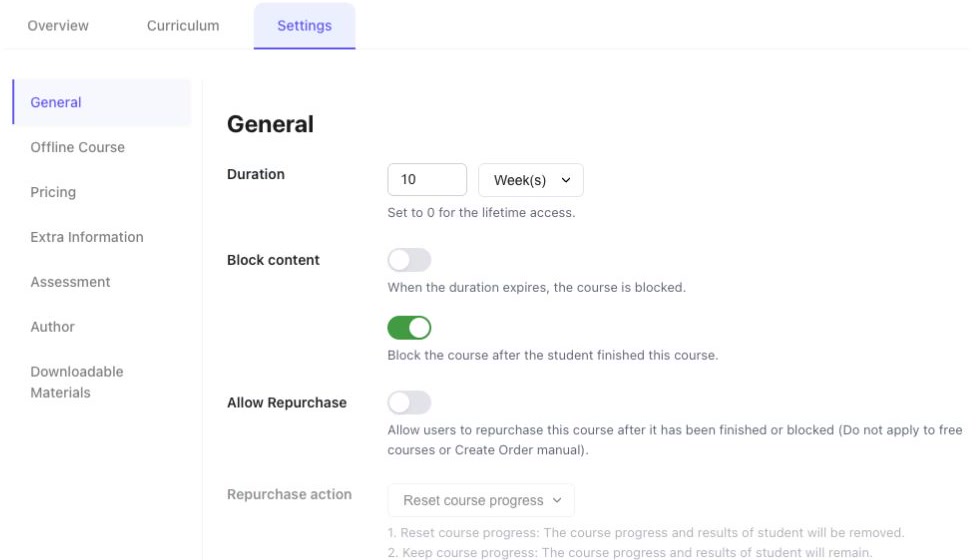
- Open the course and choose Settings → General.
- Set Duration and its time unit. The editor defines zero as lifetime access.
- Review Block content after expiry and the separate option to block after the learner finishes. These are independent of the number entered for duration.
- Review capacity and retakes. The maximum-practitioner field defines zero as unlimited; the retake field defines zero as disabled.
- Check the language and the duration information shown to learners. Save the intended settings.
On mobile #
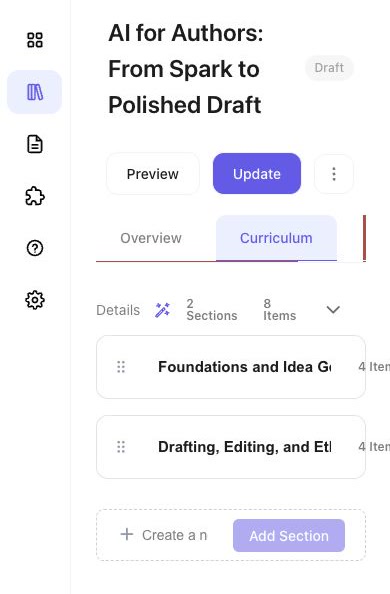
Use a desktop browser for arranging the curriculum and changing detailed course settings. On a narrow screen, some controls can be clipped or fail to expand. Select Desktop above to read the editing instructions.
Decide what happens on repurchase #
If Allow Repurchase is enabled, review Repurchase action:
- Reset course progress removes the previous progress and results.
- Keep course progress preserves them.
- Open popup lets the learner choose through the confirmation shown.
The editor states that this setting does not apply to free courses or manually created orders. Make the chosen behaviour clear before learners repurchase.
Add downloadable materials #
- Open Settings → Downloadable Materials.
- Use Add Course Materials and select the intended files.
- Follow the file types, size and count limits displayed in that form. These limits can depend on site settings.
- Save, then verify that the intended files and labels appear for the intended course audience. Use meaningful filenames and avoid uploading internal or unrelated documents.
Check the delivery format #
Offline Course changes the available learning behaviour. The editor warns that enabling it disables online features including curriculum, finishing, retakes and repurchase controls. Use it only when the course’s delivery format requires it, and review the displayed location or delivery information.
Interface reviewed on 12 November 2026. Screens shown are from the development environment.


